Chamber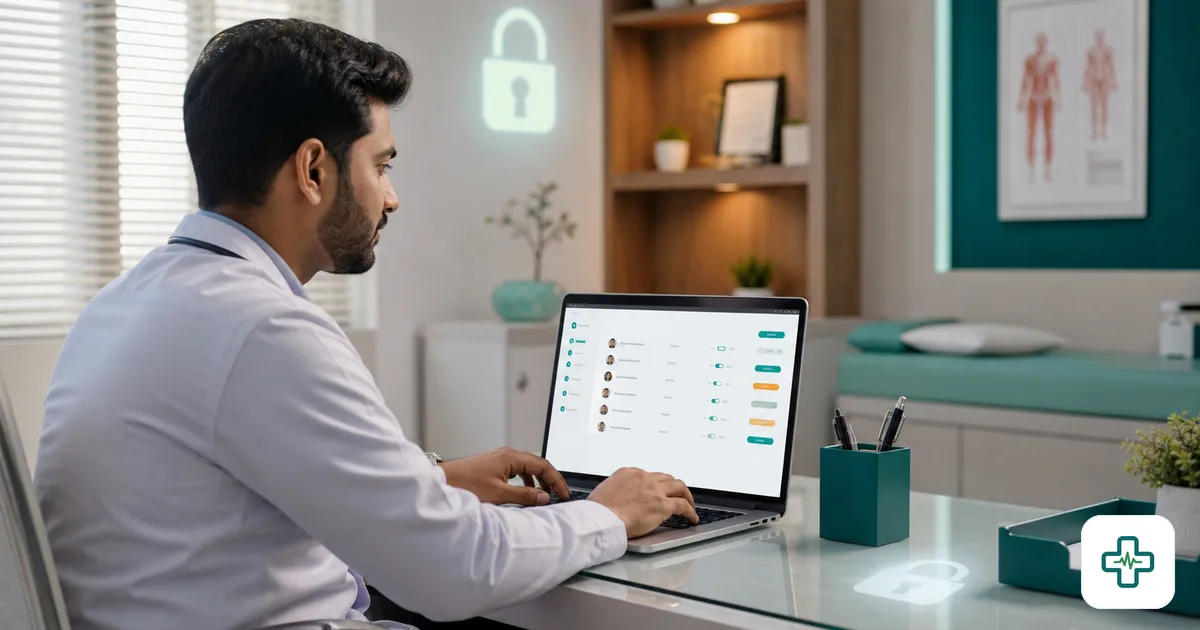
Data security & role-based access for clinics in Bangladesh
A clinic holds two of the most sensitive things a business can hold: people's medical histories and the day's money. Yet most clinics in Bangladesh run on a single shared login that every staff member uses — the receptionist, the new intern, the cleaner who sometimes covers the desk. Everyone can see every patient's records, every bill, every figure. It feels convenient until the day a record leaks, a payment is quietly altered, or a departing staff member walks out with patient data. Good security is not paranoia; it is the basic respect a patient's data deserves, and increasingly, a reason they trust you over the clinic next door.
This guide explains data security and role-based access (RBAC) for clinics in plain terms — what each idea means, why the shared-login habit is risky, and a practical checklist any clinic can follow.
Why clinic data security matters
It is easy to treat security as a technical luxury until something goes wrong. The stakes are real: a patient's diagnosis is private and can cause real harm if exposed; the day's collection figures are money that can be quietly skimmed; and a clinic's reputation, once it is known that records are careless, is hard to rebuild. Patients are also more aware than they used to be — being able to say honestly that their data is access-controlled and backed up is becoming a genuine advantage. Our note on patient data privacy for doctors covers the duty side of this.
The shared-login problem
One username and password that everyone uses is the single most common security weakness in clinics. It creates three problems at once. First, there is no privacy — every staff member can browse every patient's history, whether their job needs it or not. Second, there is no accountability — when a record is changed or a payment goes missing, you cannot tell who did it, because everyone is "the same user." Third, there is no safe exit — when a staff member leaves, the shared password is still theirs, and changing it disrupts everyone. A shared login is convenient precisely because it removes all the protections you actually want.
What role-based access (RBAC) means
Role-based access is a simple idea: each person logs in as themselves, and each role sees only what its job needs. The receptionist books and bills but does not need to read clinical notes. The accountant sees the money but not every diagnosis. The doctor sees their patients' full records. The owner sees everything. Nobody has to browse data irrelevant to their work, and every action is tied to a real person.
| Role | Typically needs | Should not have |
|---|---|---|
| Receptionist | Appointments, serials, billing | Full clinical notes, financial reports |
| Doctor | Their patients' records & prescriptions | Payroll, other doctors' finances |
| Accountant / manager | Billing, payroll, collection reports | Detailed clinical histories |
| Owner / admin | Everything + user management | — |
Beyond access: encryption, backups and an audit trail
Role-based access controls who can see data. Three more things protect the data itself.
Encryption
Encryption means the data is scrambled in transit and at rest, so that even if it is intercepted or a server is compromised, it cannot simply be read. With cloud software this is handled for you; with an old desktop database on an unprotected PC, it usually is not.
Backups
A backup is your insurance against the day a device fails, is stolen, or catches ransomware. Automatic, off-site backups mean a lost computer is an inconvenience, not the loss of years of records. This is one of the strongest arguments for cloud over one-time desktop software.
Audit trail
An audit trail records who did what and when — who edited a record, who took a payment, who changed a price. When everyone logs in as themselves, the trail is meaningful, and quiet tampering becomes visible. It is both a deterrent and the way you investigate when something looks wrong.
The Bangladesh context
Bangladesh does not yet enforce a strict, detailed health-data law the way some countries do, so much of this is currently about professional duty and patient trust rather than legal compulsion. But two things are shifting: patients are increasingly aware of their privacy, and data-protection rules are tightening worldwide and will reach here. A clinic that builds good habits now — access control, backups, a clear record of who can see what — is both doing right by its patients and getting ahead of where the rules are heading.
A practical security checklist for clinics
- Give every staff member their own login — never a shared username.
- Match access to role — reception, clinical, accounts and admin should each see only what they need.
- Remove access the day someone leaves — disable their account, do not just hope.
- Use software that encrypts and backs up automatically — do not rely on a single clinic PC.
- Keep an audit trail so record changes and payments are traceable to a person.
- Use strong, individual passwords and review who has admin rights periodically.
How ChamberBD handles it
ChamberBD is cloud software with role-based access built in: each staff member has their own login, sees only what their role needs, and every action is tied to them. Data is encrypted and backed up automatically, so a broken or stolen clinic computer never means lost records. You get the protections of proper access control without having to be a security expert — and you can start free at app.chamberbd.com. See the wider picture in our clinic platform overview.
How to start without overcomplicating it
Security can sound intimidating, but for a clinic the first steps are simple and make the biggest difference. Begin by giving every staff member their own login and removing the shared password — that single change restores privacy and accountability at once. Then set each person's access to match their role, and build the habit of disabling an account the day someone leaves. If your software is cloud-based, encryption and backups are already handled for you, so you are most of the way there without any technical work. You do not need to be an IT expert; you need individual logins, role-based access, and a vendor that backs your data up automatically and can show you it is encrypted.
Frequently Asked Questions
What is role-based access control for a clinic?
It means each person logs in as themselves and sees only the data their job requires — the receptionist gets appointments and billing, the accountant gets finances, the doctor gets their patients' records, the owner gets everything. It replaces the risky habit of one shared login that lets every staff member browse every patient's private history.
Why is a single shared login bad for a clinic?
It removes the three protections you actually want: privacy (everyone can read every record), accountability (you cannot tell who changed a record or took a payment), and a safe exit (a departing staff member still knows the shared password). Individual logins with role-based access fix all three at once.
Is clinic patient data legally protected in Bangladesh?
Bangladesh does not yet enforce a strict, detailed health-data protection law the way some countries do, so today this is largely a matter of professional duty and patient trust. But patient awareness is rising and data-protection rules are tightening globally, so clinics that adopt access control, encryption and backups now are both doing right by patients and preparing for stricter norms ahead.
How do I keep patient records safe if my clinic computer is stolen?
Use software that stores data on encrypted, automatically backed-up servers rather than on a single clinic PC. Then a stolen or broken computer means you simply log in from another device, with nothing lost — and because the data is encrypted, the thief cannot read it. This is a core advantage of cloud over old desktop systems.
Does ChamberBD support role-based access and backups?
Yes. ChamberBD gives each staff member their own login with access matched to their role, keeps an audit trail of actions, and encrypts and backs up data automatically as cloud software. You get proper access control and data protection without needing technical expertise.
Stop running your clinic on one shared password. ChamberBD gives every staff member their own role-based login, with encryption, automatic backups and an audit trail built in. Start free at app.chamberbd.com →
Read next: patient data privacy for doctors and cloud vs one-time clinic software.