Chamber
Paperless clinic: digital transformation for Bangladeshi clinics (2026)
Walk into almost any clinic in Bangladesh and you will see the same things: a thick register at reception, a drawer of patient files, prescription pads, a calculator, and a cash box. It works — it has worked for decades — and most owners assume it is simply how a clinic runs. But ask a harder question. How much does that paper actually cost you in a year, not in stationery, but in lost files, leaked income, wasted staff hours, and decisions you could not make because you had no numbers? Once you add those up honestly, the case for going paperless stops being a tech fashion and becomes plain business sense.
This is a practical guide, not a sales pitch for "the future." Going paperless does not mean buying a server, hiring an IT person, or forcing your staff to learn something they hate. It means moving the everyday work of the clinic — registration, the queue, prescriptions, payments, records, and reports — into a single system that remembers everything, backs itself up, and shows you what is happening. Full disclosure: ChamberBD publishes this blog and ChamberBD Clinic is one such system, so we use it as the worked example. The transition plan below, though, works whichever vendor you choose.
The hidden cost of paper (the part nobody puts on a receipt)
Paper feels free because the only price you ever see is the stationery — a few hundred taka a month for registers, files and pads. That number is real, and it is small. The trouble is that stationery is the cheapest thing paper costs you. The expensive costs never reach a receipt, which is exactly why they go unmanaged for years. Here is where the money actually goes.
Lost and damaged files
A paper file exists in exactly one place. Misfile it, spill tea on it, lose it in a monsoon-damp cupboard, or simply have a busy receptionist put it in the wrong stack, and a patient's entire history can vanish in an afternoon. When that patient returns, you rebuild everything from memory and from what they remember — which is rarely accurate. Some of them quietly leave because their file "got lost." Every lost record is a small, invisible loss of trust and continuity.
Unreadable and inconsistent notes
Handwriting is private. A note that made perfect sense to the writing doctor is a puzzle to a covering colleague, the pharmacy, or even the same doctor six months later. Drug names get misread, dosages get repeated from memory, and follow-up instructions are lost. In a multi-doctor clinic this is worse: every doctor writes differently, and there is no shared, legible record anyone can rely on.
No backup, ever
This is the risk owners under-rate the most. Paper has no backup by definition. A fire, a flood, a theft, or even an office move can destroy years of records with nothing to fall back on. You would never run the clinic's bank balance with no record of deposits — yet the clinical and financial history sitting in those registers is just as valuable and far more exposed.
Leaked revenue you cannot see
This is where paper quietly costs the most. With cash and a register, money leaks in ways you cannot trace: a payment that was taken but never written down, a "discount" given without your knowledge, a test referred but never billed, a follow-up that should have come back but was never reminded. None of these show up as theft — they show up as a clinic that somehow earns less than it feels like it should. Without a system that records every transaction the moment it happens, you are trusting memory and goodwill to protect your income.
No reports, so no real decisions
Ask your register a simple question: what was your busiest day last month, which doctor brought in the most revenue, how much did you spend on staff versus supplies, and are follow-ups rising or falling? You almost certainly cannot answer without hours of manual counting — so you never ask. That blindness is itself the cost. You cannot plan a slow season, justify a new sitting day, or catch a problem early when you cannot see your own numbers. Running a clinic on paper is running it half-blind.
What "going digital" actually covers
Digital transformation sounds vague and intimidating, so let us make it concrete. For a clinic, going paperless is not one big thing — it is replacing six everyday paper tasks with one connected system. Each piece is simple on its own; the power comes from them sharing the same data.
- Registration. Instead of a register and loose files, every patient has one digital profile created once — name, age, contact, history — searchable in seconds and never lost. New visit, same profile.
- Queue and appointments. Instead of phone-by-phone serial-giving and a crowded waiting room, patients get a token or appointment, and the front desk sees the live queue on a screen. Less chaos, fewer arguments, shorter perceived wait.
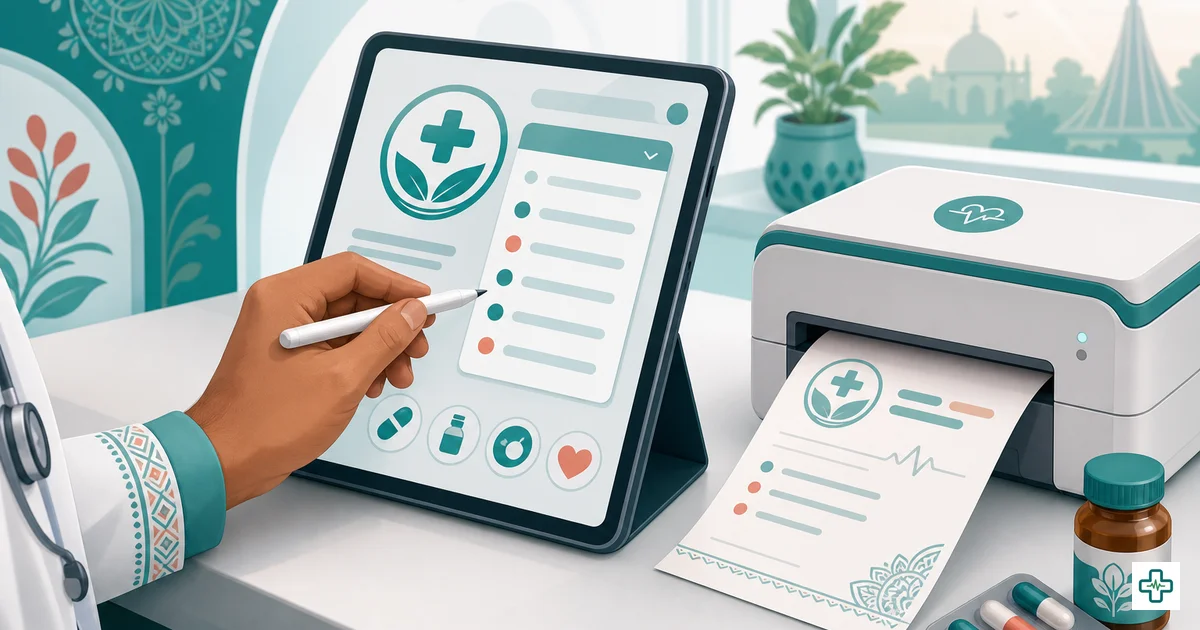
- Prescriptions. Instead of a pad and handwriting, the doctor writes a clean, printed prescription from a searchable medicine catalogue — legible, consistent, stored against the patient's record, and reusable on the next visit.
- Payments. Instead of a cash box and memory, every fee, test and payment is recorded as it happens, with a daily summary you can actually check at closing time.
- Records. Instead of a drawer of files, the clinic's whole history — clinical and financial — lives in one place, backed up automatically, accessible to the right staff and no one else.
- Reports. Instead of guessing, you open a dashboard and see income, patient volume, expenses and doctor-wise performance, day by day and month by month.
That is the whole of "digital transformation" for a clinic. Not robots — just these six paper habits moved into a system that remembers and reports. If you want the full feature-by-feature picture before deciding, our 2026 buyer's guide to clinic management software in Bangladesh walks through exactly what to look for and which features actually matter here.
Paper clinic vs paperless clinic, side by side
The clearest way to see the difference is task by task. Here is what each everyday job looks like on paper versus in a paperless clinic. The point is the structure of the day, not any single feature.
| Everyday task | Paper clinic | Paperless clinic |
|---|---|---|
| Finding a returning patient | Flip through files and the register; sometimes never found | Search by name or phone; full history in seconds |
| Managing the queue | Phone calls, shouting names, arguments over order | Token or appointment; live queue on screen |
| Writing a prescription | Handwritten, sometimes unreadable, easy to lose | Printed, legible, stored, reusable next visit |
| Taking payment | Cash box and memory; leaks untraceable | Recorded instantly; daily summary at closing |
| Backing up records | None — fire, flood or loss wipes everything | Automatic cloud backup, always |
| Seeing how the clinic is doing | Hours of manual counting, so never done | Open the dashboard; income and volume at a glance |
| Working across branches | Separate registers; no shared view | One system, all branches, one owner view |
Read down the right-hand column and you will notice it describes a calmer, faster clinic — not a more complicated one. That is the real promise of going paperless: less friction in the daily work, not more.
A step-by-step transition plan that won't disrupt your clinic
The single biggest fear owners have is not cost — it is disruption. "What if it breaks down on a busy evening and we cannot see patients?" That fear is reasonable, and the answer is simple: never switch cold. You move in calm, staged steps, keeping paper as a safety net until the system has earned your trust. Here is a transition roadmap you can follow over about a month without risking a single working day.
| Stage | What you do | Paper status |
|---|---|---|
| Days 1–3: Set up | Create the clinic, add doctors, sitting hours, fees and staff logins. Start a free trial at clinic.chamberbd.com so there is no upfront commitment. | Paper still the real system |
| Days 4–10: Learn on registration and queue | Start with the two easiest wins — register every new patient digitally and give tokens from the system. Keep the register too, so nothing depends on the new tool yet. | Paper still the source of truth |
| Days 11–20: Add prescriptions and payments | Doctors print prescriptions from the system; the front desk records every payment as it happens. Run paper and digital in parallel so you catch every edge case. | Both running side by side |
| Days 21–27: Flip the source of truth | Make the digital system the real one. The register becomes an emergency backup only. Owner starts checking the daily summary at closing. | Paper is backup only |
| Day 30: Review the numbers | Open the dashboard and look at income, volume and expenses for the month. Decide with your own data, not anyone's marketing. | Paper retired for daily use |
Notice what this plan deliberately avoids. You do not type in years of old files on day one — that is the mistake that kills most transitions. You enter active patients as they come in, and the database fills itself within a few weeks of normal work. You also start with the easy, low-risk tasks (registration, queue) and only add prescriptions and payments once the staff are comfortable. By the time the digital system becomes the source of truth, everyone has already used it for two weeks with paper as a safety net. Nothing is ever bet on a tool nobody has mastered.
Change management: bringing your staff with you
Software does not transform a clinic — people do. The most common reason a paperless project fails is not the technology; it is a receptionist who quietly keeps using the register because the new system was dropped on her with no warning. Get the people right and the rest follows. A few principles make the human side work.
- Explain the "why," not just the "how." Staff resist tools that feel like surveillance. Frame it honestly: the system makes their day easier — no more shouting names, no more hunting for files, no more re-explaining the queue. It is help, not a watchdog.
- Start with one champion. Pick your most capable front-desk person, train them first, and let them become the in-clinic expert others ask. One confident user spreads calm faster than any manual.
- Train on real patients, not a demo. People learn a clinic tool by doing the clinic's actual work. Let staff register real patients and print real prescriptions from day one, with paper still backing them up.
- Expect the first three days to feel slow. They always do. Tell staff this in advance so the early friction does not feel like failure. By the second week the new way is faster than paper, and they feel it.
- Set roles, not free-for-all. Decide who can see and do what — reception, doctor, owner — so the system feels safe and orderly. Role-based access also protects sensitive records and your financial data.
If your clinic has more than one doctor, the change-management challenge is mostly about a shared, consistent workflow rather than individual habits. Our guide to the best software and apps for doctors in Bangladesh in 2026 covers how a single system keeps multiple doctors and a busy front desk working from the same page.
Addressing the three real fears: internet, learning curve, and cost
Every owner who hesitates has the same three worries. They are legitimate, and they deserve honest answers rather than salesmanship.
"What about the internet and load-shedding?"
This is the most common objection in Bangladesh, and a fair one. The honest answer: a modern clinic already runs on connectivity — bKash, Nagad, Facebook, and patients' own phones all depend on it, and most clinics have mobile data as a fallback when broadband drops. A cloud system needs a connection, but a brief outage means a short pause, not lost data, because everything is saved the moment it is entered and backed up automatically. The practical safeguard is mobile data on the front-desk phone as a backstop. Treat internet as something to plan around, not a reason to stay on paper forever.
"My staff aren't tech people — won't it be too hard?"
If your receptionist can use WhatsApp, Facebook and bKash on a phone, she can use a clinic system. The whole point of a good tool is that it is built for non-technical staff: search a name, tap a token, pick a medicine, record a payment. The learning curve is real but short — a week or two of normal use, made easier because the interface is bilingual, so staff can work in Bangla rather than fighting English-only menus. The staged transition above exists precisely so nobody has to learn everything at once.
"Isn't it expensive?"
Compare it to the right thing. Paper's visible cost is small, but its invisible cost — lost files, leaked revenue, wasted staff hours, no reports — recurs every single day. A transparent subscription is a predictable, fixed line item, and for most clinics it is recovered many times over just by plugging the revenue leaks and bringing back follow-ups that used to drift away. ChamberBD Clinic is priced openly — Starter ৳3,000/month, Pro ৳6,000/month, and Enterprise ৳12,000/month — with a free trial first and payment by bKash or Nagad, so you can prove the value before you commit a taka. For a full breakdown of the money, see our honest paper vs digital cost comparison.
How ChamberBD Clinic enables a paperless clinic
To make this concrete, here is how the six paper tasks map onto ChamberBD Clinic — the worked example for this guide. The platform is built for exactly the multi-staff, cash-heavy, Bangla-speaking clinic this article is about.
- Digital patient records. One shared patient pool for the whole clinic — every doctor and the front desk see the same profile, history and visits. No duplicate files, no lost history.
- Digital prescriptions. A searchable catalogue of 23,000+ medicines, so doctors write clean, legible prescriptions fast and print them for the patient — stored against the record and reusable next visit.
- Appointments and token queue. Give tokens or book appointments and run the live queue from a screen, ending the phone-call chaos and the arguments over order.
- Payments and daily summary. Record every fee and payment as it happens, with a daily summary the owner can check at closing — the single best defence against quiet revenue leaks.
- Billing and invoices, plus expenses. Generate invoices and track clinic expenses, so income and outflow live in the same place instead of two registers and a calculator.
- Staff, attendance and payroll. Manage staff, attendance and payroll inside the same system, so the people side of the clinic is digital too.
- Reports and dashboard. Open a dashboard for income, volume, expenses and doctor-wise performance — the numbers you could never get from a register.
- Multi-branch and role-based access. Run several branches under one owner view, with role-based access so each person sees only what they should.
- Automatic cloud backups, bilingual, mobile. Everything backs up to the cloud automatically, the interface works in Bangla and English, and you can check on the clinic from your phone anywhere.
You can see the full platform on the clinic management software for Bangladesh overview, start a free trial and demo at clinic.chamberbd.com, or join to get set up. The fastest way to judge any of this is to try it on real patients for a week, which is exactly what the transition plan above is built for — you can begin at app.chamberbd.com and follow the staged steps alongside your existing register.
Frequently Asked Questions
What does it mean for a clinic to go paperless?
Going paperless means moving the everyday work of the clinic — patient registration, the queue, prescriptions, payments, records and reports — out of registers and files and into a single connected system that remembers everything, backs itself up, and shows you reports. It does not mean banning every form overnight; it means the system becomes the source of truth and paper becomes, at most, an emergency backup.
Will switching to digital disrupt my busy clinic?
Not if you switch in stages instead of cold. Set up first, then start with the two easiest tasks — registration and the queue — while keeping the register. Add prescriptions and payments next, running paper and digital in parallel so you catch every edge case. Only make the system the source of truth once staff have used it for two weeks with paper as a safety net. No single working day ever depends on a tool nobody has mastered.
What happens if the internet goes down during clinic hours?
A brief outage means a short pause, not lost data, because everything is saved the moment it is entered and backed up automatically to the cloud. The practical safeguard is keeping mobile data on the front-desk phone as a backstop for broadband drops. Treat internet as something to plan around, the way your clinic already does for bKash and patient calls, rather than a reason to stay on paper.
My staff aren't technical — can they really use clinic software?
If they can use WhatsApp, Facebook and bKash on a phone, they can use a clinic system. A good tool is built for non-technical staff — search a name, tap a token, pick a medicine, record a payment — and a bilingual interface lets them work in Bangla. Train one capable front-desk person first as your in-clinic champion, expect the first few days to feel slow, and by the second week the new way is faster than paper.
How long does it take to digitize an existing clinic?
Plan for about a month of staged transition, not a single-day switch. The key is to enter active patients as they come in rather than typing years of old files on day one — the database fills itself within a few weeks of normal work. By day 30 you will have lived both systems and can decide with your own income and volume numbers rather than anyone's marketing.
How much does going paperless cost in Bangladesh?
ChamberBD Clinic is priced openly — Starter ৳3,000 per month, Pro ৳6,000 per month and Enterprise ৳12,000 per month — with a free trial first and payment by bKash or Nagad. Compare that fixed, predictable cost against paper's invisible daily losses: lost files, leaked revenue, wasted staff hours and no reports. For most clinics the subscription is recovered many times over just by plugging revenue leaks and recovering follow-ups that used to drift away.
The fairest way to settle whether your clinic should go paperless is to stop debating it and run it for a month in your own clinic. You can set up the digital side, keep your register as a safety net, and see the real numbers for yourself by starting a free trial at clinic.chamberbd.com and following the staged transition plan this week.