Chamber
How to make a prescription online for free: a step-by-step guide
If you have ever finished an evening clinic and wished you could hand the patient a clean, legible, professional page instead of a hurried scrawl on a pad, the good news is that you can — right now, in your browser, without paying anything. Learning how to make a prescription online takes about three minutes the first time and less than a minute after that. This guide walks you through every step of using a prescription maker online free of charge: filling in the form, choosing between the Classic and Canvas modes, customising your header and logo, and finally printing, saving as a PDF, or sharing a link the patient can open on any phone.
If you would rather just try it, open our free prescription generator in another tab now, write a real prescription as you read along, and print or download it when you are done — no sign-up, no payment. The rest of this page explains the choices worth making and answers the questions doctors in Bangladesh ask before they switch.
What a prescription maker actually does
A prescription maker — also called a prescription generator, e-prescription tool, or online prescription writing software — simply replaces the paper pad with a structured digital page. You enter the patient's details, list the medicines with their dose, frequency and duration, add your advice, and the tool lays everything out as a neat, printable prescription that carries your name, qualifications, BMDC number and chamber details at the top of every page. The words prescription maker, free prescription maker, prescription generator and online prescription writing all describe the same thing: a faster, cleaner way to produce the document you already produce by hand.
The important thing to understand before you start is that a prescription maker does not change who may prescribe or what you decide to prescribe. It changes only how the page looks and how easily you can reuse it. The clinical judgment stays entirely yours; the software just stops that judgment from being undone by an illegible line at the pharmacy counter. If you want the wider context on what these tools are and how the free ones compare to paid practice systems, our companion guide to free e-prescription software in Bangladesh covers the whole category.
Before you start: what you need (almost nothing)
One of the reasons making a prescription online for free has become so popular among chamber doctors is that the barrier is genuinely tiny. To create your first digital prescription you need only three things:
- A device with a browser. A laptop, a tablet, or even a modest Android phone is enough. There is nothing to install.
- Your identity details. Your name and qualifications, your BMDC registration number, and your chamber name and contact. You enter these once and the tool remembers them for the next prescription.
- Optionally, a logo. If you have a chamber logo, having the image file ready makes the prescription look polished, but it is not required.
You do not need a printer to create the prescription — you can save it as a PDF or image and print later, or share a link. You do not need an internet connection that never drops, because the draft autosaves in your browser as you type. And you do not, for the basic tool, need an account at all.
How to make a prescription online for free, step by step
Here is the complete flow in our free prescription generator. Read it once and you will see why doctors describe it as a three-minute job.
- Open the tool and enter your details. The first time, fill in your doctor block — name, qualifications, BMDC number, chamber name and contact. This becomes the header on every prescription and is saved locally, so you never retype it.
- Add the patient. Type the patient's name, age and sex, and the date. These few fields, together with your identity block, are what turn a list of medicines into a proper prescription.
- List the medicines. In Classic mode you add each drug with its dose, frequency and duration. A good prescription maker offers autocomplete from a real medicine database so names come out spelled correctly and strengths are attached — far faster and safer than typing each line by hand.
- Add your advice and investigations. Note any tests, follow-up date, and patient advice in their own fields, so the layout stays clean instead of crammed into a margin.
- Customise the look. Upload and crop your logo, pick header and footer colours, set the page colour, and add a watermark if you want one. This is what makes the printed page look like your prescription.
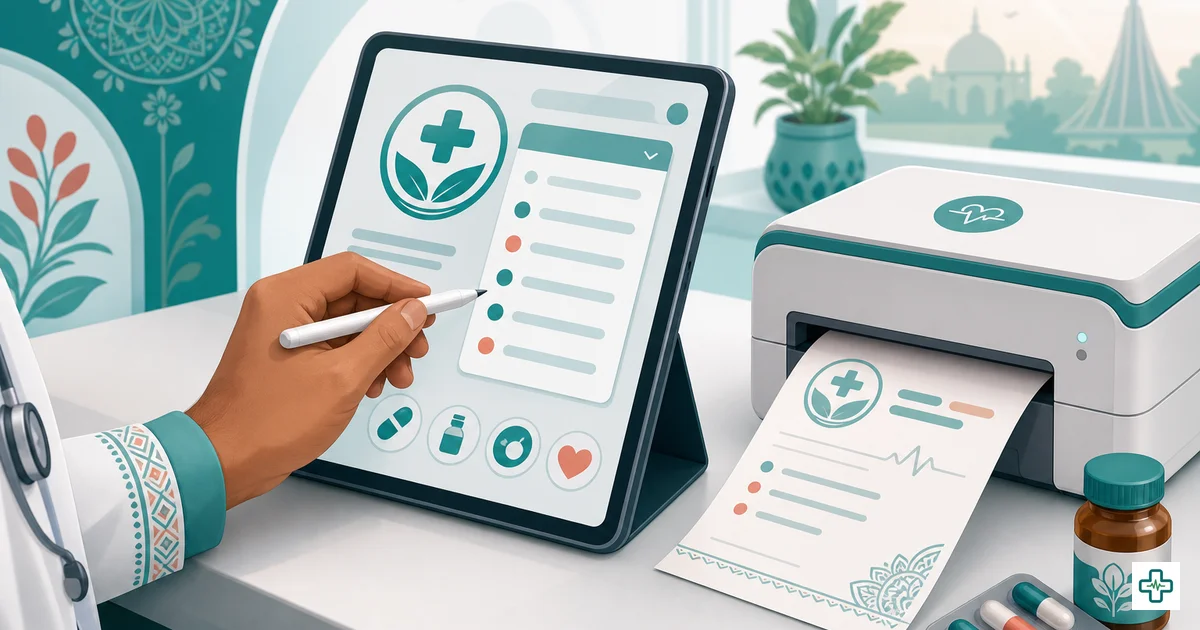
- Print, download or share. Print directly, download as a PDF or PNG image, or generate a share link the patient can open on any phone. On the free generator the link lasts seven days; with a free account it is permanent and saved to the patient's record.
That really is the whole commitment to going digital: one prescription, a handful of fields, and a button. There is no monthly bill, no installation, and no learning curve worth the name.
Classic mode vs Canvas mode: which to use
The single decision that confuses first-time users is which mode to write in, so it is worth a clear explanation. A good free prescription maker gives you two ways to put medicines on the page, and they suit different doctors.
Classic mode is a structured form. You fill in fields — patient, medicines, dose, advice — and the tool arranges them into a tidy, consistent layout. It is the right choice if you want speed, legibility and a page that looks identical every time, and it is what most doctors settle on for daily use.
Canvas mode is a blank prescription pad you write on freehand with a mouse, finger or stylus, exactly like paper. It suits doctors who think with a pen, who want to sketch a diagram, or who simply prefer their own handwriting on a clean, branded page. You still get your printed header and footer; only the body is freehand.
| Question | Classic mode | Canvas mode |
|---|---|---|
| How you write | Structured form fields | Freehand drawing/writing |
| Best for | Speed and perfect legibility | Doctors who prefer a pen |
| Medicine autocomplete | Yes | No (you write it) |
| Consistent layout every time | Yes | Depends on your writing |
| Works with mouse / touch / stylus | Keyboard | Yes |
| Printed branded header & footer | Yes | Yes |
There is no wrong answer. Many doctors start in Canvas because it feels familiar, then move to Classic once they see how much faster autocomplete makes a busy evening. You can switch any time, and nothing forces you to commit.
What makes a good prescription maker
Not every free tool deserves your evening clinic. Before you make one your daily habit, check that it does these things well — they are the difference between a toy and a tool you can lean on.
A real medicine database, not a blank box
The whole point of digital prescribing is that drug names come out correct and legible. A good prescription maker lets you select from a database of medicines available in Bangladesh, so the generic or brand name is always spelled right and the strength is attached. ChamberBD's pad draws on a database of 23,000+ drugs — the difference between typing every name by hand and picking it in two keystrokes. You can also browse that same drug data in our public medicine directory.
Your own branding — header, logo and footer
A prescription is also your identity on paper. Look for control over the header (your name, qualifications, BMDC number, chamber), a logo upload, footer text, page colour and even a watermark. These are not vanity features: a consistent, professional layout is what makes a printed prescription look trustworthy at the pharmacy counter and quietly markets your chamber on every page the patient carries home.
Output that works everywhere
You will not always be standing next to a printer. The best free prescription maker online lets you print directly, save as PDF, save as an image, or create a share link the patient can open on any phone. That flexibility is what lets digital prescribing survive a power cut or a patient who left without their copy.
It works on the device you already have
Many doctors in Bangladesh run their chamber from a phone or a modest laptop. Good online prescription writing software runs in the browser with no heavy install and works on mobile, so you are not tied to one machine. For a wider comparison of the tools available, our roundup of the best software and apps for doctors in Bangladesh places the prescription pad in context.
Free tool or free account: which should you choose?
"Free" can mean two different things here, and it is worth being clear before you start so you pick the right entry point.
The free prescription generator needs no sign-up at all. You open it, write a prescription, and print, download or share it. Your draft lives in your browser. This is the perfect choice if you simply want a clean printed page without committing to anything.
A free ChamberBD account costs nothing either, but it adds the things a one-off generator cannot: the full 23,000+ medicine database, permanent share links, and patient records so the prescription remembers the patient — meaning you can reprint, compare and follow up. It is the right choice the moment you want to know "what did I give this patient in March?". You can create one at app.chamberbd.com/register and the full set of prescription and records features shows exactly what it unlocks.
Is an online prescription valid in Bangladesh?
A question every careful doctor asks before switching: is a printed or digital prescription actually valid? The short answer is that the format is not what makes a prescription legal — completeness and authenticity are. A printed prescription that carries your identity, BMDC number, the date, the medication order and your signature is a valid prescription, exactly as a handwritten one is. What matters is that a registered practitioner issued it and that it can be verified. We cover the detail in our explainer on the legality of digital prescriptions in Bangladesh, and the identity and signature requirements are the same ones in our prescription writing rules guide.
Who is allowed to make a prescription?
Software does not change who may prescribe — it only makes the authorised person's prescription cleaner. For allopathic (modern) medicines, a prescription should be written by a registered medical or dental practitioner holding a valid BMDC registration. The registration number on the page is what lets a pharmacist or patient confirm that a qualified, registered doctor issued it. A prescription maker simply enforces good practice: it prints that BMDC number on every page and keeps your identity block consistent, so the document always shows who stands behind it. Our guide to who can write a prescription in Bangladesh sets out the rules in full, and if you are on the receiving end, how to read prescription abbreviations explains the shorthand that ends up on every pad.
Putting it together with ChamberBD
ChamberBD was built for exactly this path. Start with the free online prescription generator — open it, write a prescription, print or download it, no sign-up. When you are ready for more, a free ChamberBD account adds the 23,000+ medicine database, permanent prescription links, patient records and history, appointment serials and SMS reminders — the whole chamber, not just the pad. None of it replaces clinical judgment. It simply stops good judgment from being undone by a rushed, illegible page, and it costs nothing to start.
Frequently Asked Questions
Is it really free to make a prescription online?
Yes. ChamberBD's prescription generator is completely free and needs no sign-up — you open it in your browser, write a prescription, and print it, save it as a PDF or image, or share a seven-day link. A free account adds the 23,000+ medicine database, patient records and permanent links, also at no cost. You only pay if you later choose heavier practice-management features for a busy multi-room chamber.
Do I need to sign up or install anything to make a prescription?
No. The free prescription maker runs entirely in your browser — there is nothing to install and no account required. Your text and uploaded images stay on your device as a local draft, and only a share link, if you create one, is stored briefly before auto-deleting after seven days. You only need to register if you want permanent links and patient records, and even that account is free.
Does the online prescription maker work on a phone?
Yes. Because it runs in the browser, the prescription maker works on a phone, tablet or laptop. You can fill in the structured Classic form or write freehand in Canvas mode on a touchscreen, then print, download or share the result — useful when you run your chamber from a phone or are prescribing away from your desk.
Can I save the prescription as a PDF?
Yes. Once you have written the prescription you can print it directly, download it as a PDF or a PNG image, or generate a share link. Saving as a PDF is handy when you are not near a printer — you can email it, store it, or print it later, and the layout, header and logo stay exactly as you designed them.
Is an online prescription valid in Bangladesh?
The format is not what makes a prescription valid; completeness and authenticity are. A printed prescription issued by a registered medical or dental practitioner that carries the doctor's identity, BMDC number, the date, the medication order and a signature is valid, just as a handwritten one is. A prescription maker simply keeps that identity block accurate and legible; see our guide on the legality of digital prescriptions in Bangladesh for the full detail.
Going digital does not have to be a big project or a monthly bill. Start with one prescription on the free prescription generator, see how a clean printed page changes the patient's experience, and when you want the prescription to remember the patient, create a free ChamberBD account and keep every record in one place.