Chamber
Clinic Expense Tracking Made Simple: How Most Bangladeshi Doctors Unknowingly Lose Lakhs in Hidden Costs Every Year
Here is a question that stops most doctors cold: What was your clinic's exact net profit last month?
Not revenue — profit. After rent, staff salaries, medical supplies, electricity, equipment maintenance, marketing costs, and the dozens of small expenses that quietly drain your earnings every single day.
If your answer was a rough estimate or a shrug, you are not alone. A survey of 500 private practitioners in Bangladesh found that 82% could not state their monthly profit within ৳20,000 accuracy. Most knew their approximate revenue (consultation fees are easy to count), but expenses? Those lived in scattered notebooks, faded receipts in desk drawers, and vague memories of "I think I paid the electrician last Tuesday."
This is not a minor inconvenience. It is a silent profit killer. When Dr. Sultana, a gynecologist running two chambers in Dhaka, finally started tracking her expenses systematically with ChamberBD, she made a shocking discovery: her monthly medical supply costs at one chamber were 40% higher than the other despite similar patient volumes. The culprit? Her assistant was over-ordering disposable supplies — not maliciously, but because nobody was watching. That single insight saved her ৳12,000 per month — ৳144,000 per year — money she redirected to upgrading her ultrasound equipment.
How much are you unknowingly losing?

What Is Clinic Expense Tracking Software?
Clinic expense tracking software is a digital tool that records, categorizes, and analyzes all financial outflows from a medical practice — including rent, staff costs, supplies, equipment, marketing, and miscellaneous expenses — providing real-time visibility into where money goes and automatic profit calculation by comparing expenses against revenue.
Why Most Bangladeshi Clinics Fail at Expense Tracking
The Paper Notebook Trap
The traditional method — a dedicated notebook where staff record daily expenses — fails for critical reasons:
- No categorization — Expenses listed chronologically without categories make it impossible to see rent vs. supplies vs. staff costs
- Lost receipts — Paper receipts fade, get misplaced, or are discarded. Tax season reconstruction is painful and incomplete
- No multi-chamber separation — Doctors with 2-4 chambers cannot easily separate expenses by location
- No profit calculation — Without period totals, calculating revenue minus expenses requires manual spreadsheet work that rarely happens
- No trend visibility — Are expenses increasing? Which category grows fastest? Notebooks cannot answer this
- Cash-only bias — bKash, bank transfer, and card expenses often go unrecorded
The Spreadsheet Graveyard
Some doctors graduate to Excel or Google Sheets. This is better but still requires manual data entry, lacks receipt attachment, provides no revenue integration for profit calculation, and demands spreadsheet skills most clinic staff do not have. Over 70% of spreadsheet-based tracking systems are abandoned within 2-3 months due to the effort required to maintain them.
Expense Tracking Methods Compared
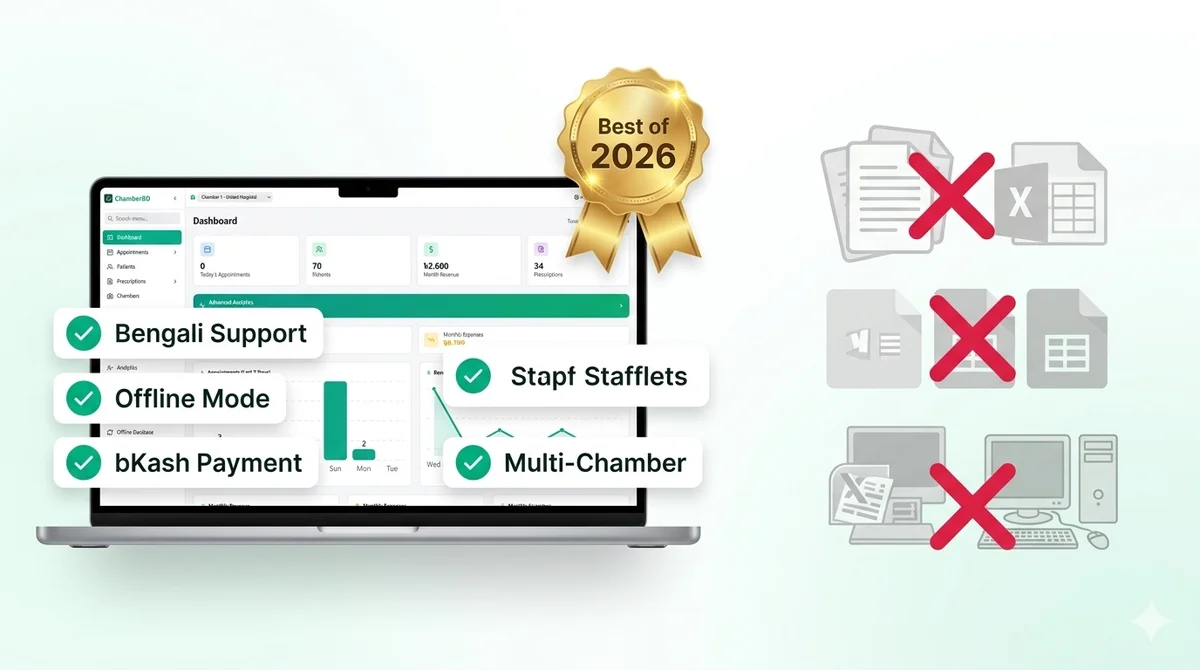
| Feature | Paper Notebook | Excel/Sheets | Generic App | ChamberBD |
|---|---|---|---|---|
| Categories | None | Manual | Generic | Clinic-specific, bilingual |
| Receipt storage | Physical drawer | None | Basic | Photo per expense, cloud-stored |
| Multi-chamber | Separate books | Separate sheets | No | Built-in chamber tagging |
| Auto profit calc | Impossible | Manual formulas | No revenue data | Automatic (revenue - expenses) |
| Bengali support | Handwritten | If you type it | No | Full bilingual |
| Payment methods | Cash only | If you add columns | Limited | Cash, bKash, Nagad, Bank, Card |
| Monthly reports | Manual count | Pivot tables | Basic | Auto-generated with trends |
| Tax preparation | Hours of work | Some help | Generic | CSV export with receipts |
ChamberBD Expense Tracking: Complete Financial Clarity
Hierarchical Expense Categories
ChamberBD lets you organize expenses the way your clinic actually works. Create parent and child categories in both Bengali and English:
- Rent & Utilities — Chamber rent, electricity, water, internet/WiFi, generator fuel
- Staff Costs — Salaries, overtime, bonuses, Eid bonuses, staff meals, transportation allowances
- Medical Supplies — Gloves, masks, syringes, cotton, bandages, disposables, sanitizers
- Equipment & Devices — Stethoscopes, BP machines, pulse oximeters, computers, printers, furniture
- Marketing & Advertising — Signage, newspaper ads, Facebook ads, business cards, brochures
- Maintenance & Repairs — AC servicing, plumbing, electrical, equipment maintenance, painting
- Administrative — Stationery, printing, courier, legal fees, accounting fees, insurance
- Miscellaneous — Tea/coffee, cleaning supplies, patient amenities
Create unlimited custom categories beyond these defaults. Each is bilingual — Bengali and English names for every category.
Receipt Photo Management: Never Lose a Receipt Again
Every expense entry supports a receipt photo upload (up to 1MB). Snap a photo with your phone and attach it instantly. The receipt is permanently linked to that expense and stored securely in the cloud. No more lost receipts, no more faded thermal paper, no more drawers full of loose papers. When your accountant asks for documentation or during tax preparation, every receipt is one click away.
Chamber-Wise Expense Separation
If you practice at multiple chambers, ChamberBD automatically separates expenses by location. This answers critical business questions:
- How much does your Gulshan chamber cost to operate vs. your Uttara chamber?
- Which chamber has the highest expense-to-revenue ratio?
- Is the rent increase at one location justified by patient volume?
- Should you invest more in a profitable chamber or cut expenses at an underperforming one?
Learn more about managing multi-location practices in our guide to clinic financial management.
Multi-Payment Method Tracking
Not all expenses are paid in cash. ChamberBD tracks across all payment methods:
- Cash — Petty cash for daily supplies
- bKash — Supplier invoices, utility bills, staff transfers
- Nagad — Alternative mobile financial service payments
- Bank Transfer — Rent, large equipment, salary disbursement
- Credit/Debit Card — Online purchases, subscriptions, equipment financing
Expense Status: Paid vs. Unpaid
Not all expenses are paid immediately. Equipment installments, 30-day supplier invoices, and promised staff bonuses can be marked "Unpaid" and tracked separately — giving clear visibility into actual cash outflows versus total obligations.
Automatic Profit Calculation: Know Your Real Bottom Line
Revenue - Expenses = Real Profit
This formula seems simple, yet without integrated tracking, most Bangladeshi doctors have only a vague sense of profitability. ChamberBD calculates your net profit automatically:
- Total Revenue — All patient payments from the payment tracking module
- Total Expenses — All recorded expenses across categories and chambers
- Net Profit — Revenue minus expenses, displayed in the analytics dashboard
See profitability by month, by chamber, and as a trend over time. Identify months where expenses spiked, correlate with revenue changes, and make informed cost optimization decisions.
Monthly Financial Reports
Auto-generated monthly summaries include total revenue, total expenses by category, net profit, previous month comparison, and per-chamber breakdowns. Export as CSV for your accountant, tax preparation, or financial planning.
Tax Preparation: From Nightmare to Simple
Organized Records for Tax Season
ChamberBD makes tax preparation dramatically easier:
- Categorized expenses with receipts — Exactly what your accountant needs
- Revenue records with payment methods — Complete income logs by source and method
- CSV export — Import directly into accounting/tax software
- Chamber-wise statements — Separated data for different tax implications
- Annual summaries — Yearly financial overviews for return preparation
Stop Missing Tax Deductions
Many Bangladeshi doctors miss legitimate deductions because records are incomplete. With ChamberBD's categorized tracking, easily identify deductible expenses: clinic rent, staff salaries, medical supplies, equipment depreciation, professional development, software subscriptions, marketing expenses, and insurance premiums. Proper expense documentation can save ৳50,000-200,000 annually in missed deductions for an average clinic.
Smart Filtering and Search
Powerful filtering to find and analyze any expense subset:
- Date range — Day, week, month, quarter, year, or custom range
- Category — Parent or child category
- Chamber — Specific chamber or all chambers
- Payment method — Cash, bKash, Nagad, Bank, or Card
- Status — Paid or Unpaid only
- Keyword search — Search descriptions for specific items or vendors
Combine filters to answer specific questions: "How much did I spend on medical supplies at my Gulshan chamber via bKash in Q1?"
Real-World Impact: Doctors Who Discovered Their Hidden Costs
The Over-Ordering Discovery (৳144,000/year saved)
Dr. Sultana's story above is real and common. When expenses are invisible, waste is inevitable. Simply making supply costs visible per chamber reduced her monthly expenses by ৳12,000 without any change in patient care quality.
Negotiating Better Supplier Terms (10-15% savings)
With categorized expense data spanning months, you gain powerful negotiating leverage. Instead of guessing annual spend, present exact figures: "I spent ৳85,000 on disposables from you last quarter. What volume discount can you offer for ৳100,000/quarter?" Data-backed negotiation consistently yields 10-15% savings on recurring supply costs.
Chamber Profitability Revelation
Many doctors maintain 3-4 chambers without understanding per-location profitability. One chamber might generate strong revenue but consume disproportionate expenses. ChamberBD's chamber-wise tracking enables strategic decisions: invest more in profitable chambers, renegotiate rent at underperformers, or consolidate locations. See how referrer commission tracking adds another dimension to profitability analysis.

Why ChamberBD's Expense Tracking Is Built Specifically for Doctors
Generic expense apps exist, but they lack clinic-specific features:
- Revenue integration — Automatic profit calculation impossible in generic tools without manual import
- Chamber-wise separation — Multi-location tracking designed for how Bangladeshi doctors practice
- Bengali support — Categories, descriptions, and reports in both languages
- Receipt attachment — Built-in, not a separate app
- Patient payment context — Expense data alongside appointment, patient, and payment data
- Doctor-specific categories — Pre-built for clinic expense patterns
Frequently Asked Questions
Can I create custom expense categories?
Yes. ChamberBD lets you create unlimited custom categories with parent-child hierarchies. Each supports bilingual names (Bengali and English). Organize expenses exactly how your clinic works — whether you need 5 categories or 50.
Can I upload receipts for each expense?
Yes. Every expense entry supports a receipt photo upload up to 1MB. Snap a photo, attach it, and it is permanently linked and cloud-stored. No more lost paper receipts.
How is profit calculated?
ChamberBD calculates net profit by subtracting total expenses from total revenue. Both datasets are tracked within the platform — revenue from the payment module, expenses from the expense module. The profit figure appears in your analytics dashboard with monthly trends and chamber-wise breakdowns.
Can I track expenses separately for each chamber?
Yes. Every expense is tagged with a chamber. View expenses for a specific chamber or all combined. Understand the cost structure and profitability of each location independently.
Can I export expense data for my accountant?
Yes. CSV export includes date, category, description, amount, payment method, chamber, status, and receipt reference. Your accountant can import directly into accounting or tax preparation software.
Does ChamberBD track both cash and digital payment expenses?
Yes. Five payment methods: Cash, bKash, Nagad, Bank Transfer, and Credit/Debit Card. Filter by method to reconcile with bank statements or mobile money histories.
Can I mark expenses as paid or unpaid?
Yes. Each expense can be marked Paid or Unpaid — useful for installments, pending supplier invoices, or promised bonuses. Filter by status to see actual cash outflows vs. total obligations.